Wiring Frontier Models Into OpenWebUI With Curapi
curapi wraps the Cursor CLI into an OpenAI-compatible API so OpenWebUI can run Claude, GPT, Gemini, and other frontier models on one Cursor subscription.
TLDR: I was paying for Claude, ChatGPT, and Cursor. Too many subscriptions. I kept Cursor and wrote curapi, a small OpenAI-compatible proxy around the Cursor CLI agent, so OpenWebUI can hit Claude, ChatGPT, and Google models from one web UI on one bill.
Repo: https://github.com/M507/curapi
The problem
I use Cursor heavily for coding. I also still want a normal chat surface for research, drafting, and random questions that do not belong inside an editor. For me, that used to be ChatGPT. Claude, on the other hand, was the best one for connecting to MCP servers and drafting Word and Excel files. Paying two other subscriptions just to reach different models and get a nicer chat experience is a waste of money. So the goal was simple: One place to talk to models, reuse what I already pay for.
The approach
OpenWebUI needs an OpenAI-compatible backend. Cursor, as far as I know, does not ship one. The only usable hook I had was the Cursor CLI (agent), already authenticated against my subscription. So I wrote curapi: a small proxy around that agent binary that exposes /v1/chat/completions and /v1/responses for OpenWebUI to call.
Hands-on Part
Same box for everything below: Docker for OpenWebUI, curapi + Cursor CLI on the host. The UI lives in a container. The proxy and agent stay on the host.
1. OpenWebUI via Docker
Official image, persistent volume, UI on port 3000 (1):
docker pull ghcr.io/open-webui/open-webui:main

docker run -d \
  -p 3000:8080 \
  -v open-webui:/app/backend/data \
  --name open-webui \
  --restart always \
  ghcr.io/open-webui/open-webui:main
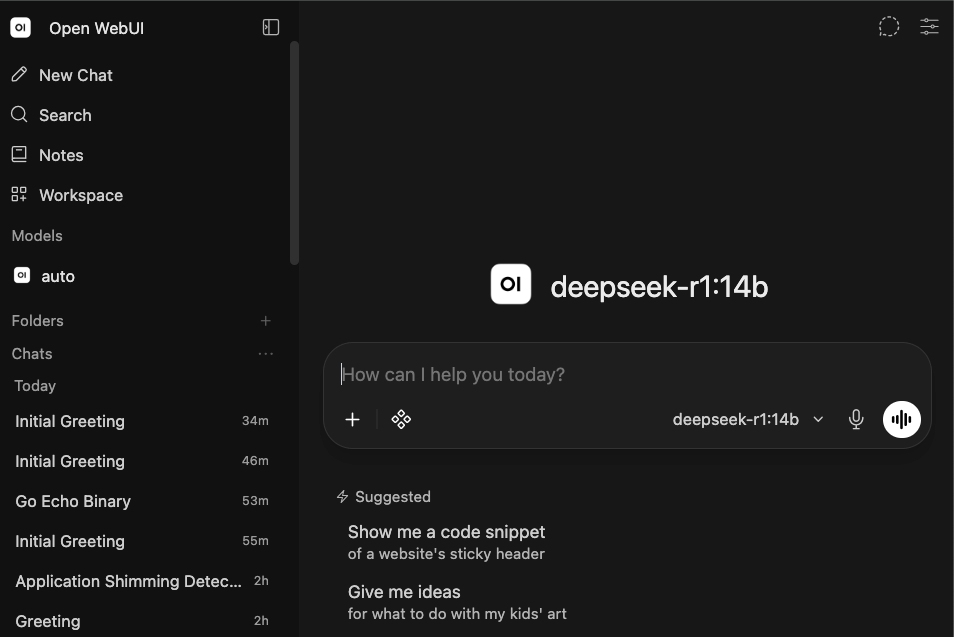
Open http://localhost:3000, create an admin account, and log in. Below is what it looks like after login:
2. Cursor CLI + curapi on the host
Install the Cursor CLI on the host (same machine as Docker), authenticate, then put curapi in front of it.
# macOS / Linux
curl https://cursor.com/install -fsS | bash

agent login
agent --list-models
Headless box? Skip the browser login, generate a key at cursor.com/settings, and put it in ~/.curapi/env.json as cursor_api_key later.
Build and install curapi (2):
git clone https://github.com/M507/curapi.git
cd curapi
make build
make test
make install          # ~/.local/bin/curapi
curapi install        # user service (LaunchAgent / systemd / Task Scheduler)
curapi status
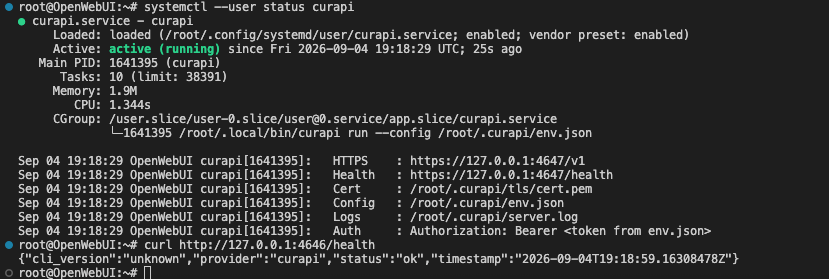
First start creates ~/.curapi/env.json (mode 0600) and prints an auth token once. Save it. That token is what OpenWebUI will send as the API key.
Sanity check from the host before you touch the UI:
TOKEN=$(python3 -c 'import json,os; print(json.load(open(os.path.expanduser("~/.curapi/env.json")))["authz_tokens"][0])')

curl http://127.0.0.1:4646/health

curl -X POST http://127.0.0.1:4646/v1/chat/completions \
  -H "Authorization: Bearer $TOKEN" \
  -H "Content-Type: application/json" \
  -d '{"model":"auto","messages":[{"role":"user","content":"ping from curapi"}]}'
You want a JSON chat completion back, not a connection refused. If HTTPS is on (default), 4647 works too with curl -k. Prove the proxy here. OpenWebUI is just another client.
3. Point OpenWebUI at curapi
Inside the container, 127.0.0.1 is the container itself, not your host curapi. From Docker Desktop (macOS/Windows) use host.docker.internal. On Linux, add that host mapping, use --network host, or point at the host LAN IP.
In OpenWebUI (admin):
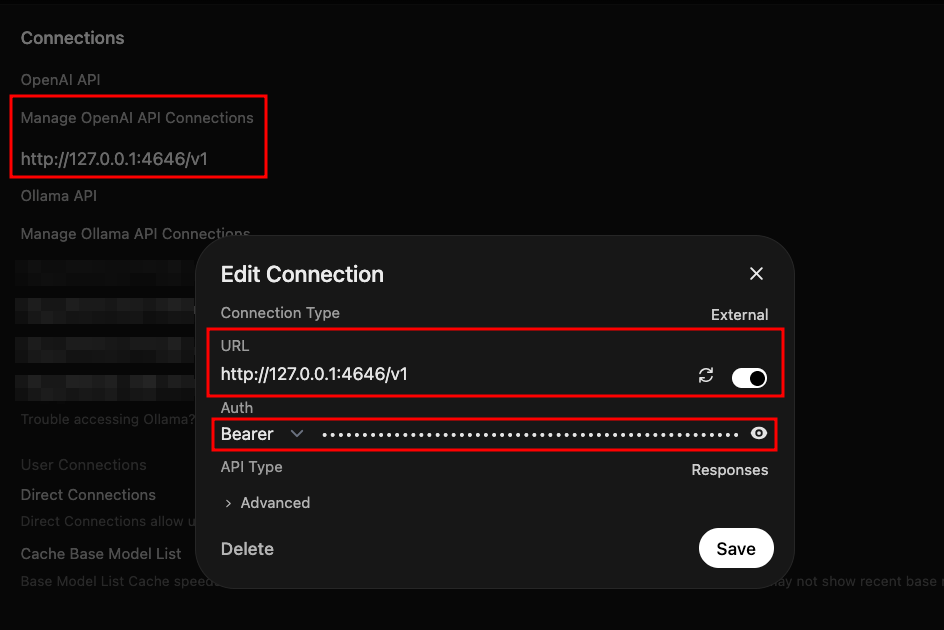
- Open Admin Panel → Settings → Connections (OpenAI / OpenAI-compatible connection; wording moves a bit between versions).
- Add a connection:
- URL:
http://host.docker.internal:4646/v1
(host-network Linux:http://127.0.0.1:4646/v1) - API key: the token from
authz_tokensin~/.curapi/env.json - API type: Chat Completions (
POST /v1/chat/completions) or Responses (POST /v1/responses). Both are implemented.
- URL:
- Save / verify. Pull models if the UI has a refresh. You should see Cursor-side IDs such as
auto,composer-2.5, and Opus/Sonnet/GPT variants, whateveragent --list-modelsreturned when curapi refreshed/v1/models.
4. Auto and other named models
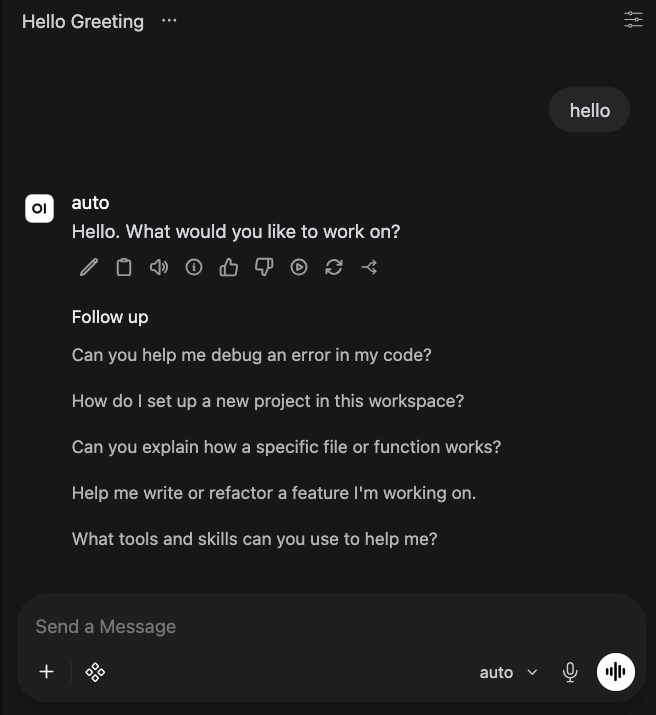
For day-to-day usage, I do not care which model it picks. I set the model to auto and let Cursor decide what is best and cheaper for me.
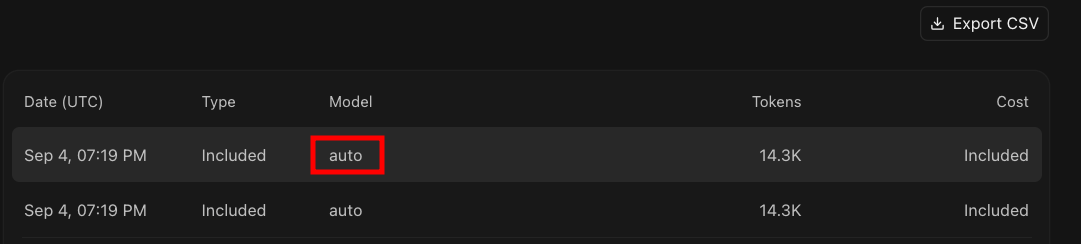
Cursor’s usage log shows those calls as auto, marked Included under the cheapest plan they have.
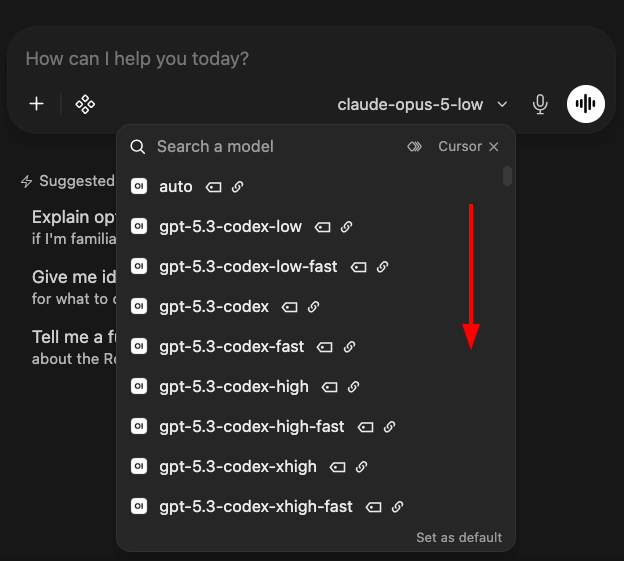
When I do want a specific model, I open the picker. Under the Cursor connection it is a long list, and you can pick Codex variants, Opus, etc.
As an example, I picked claude-opus-5-low in the screenshot below, asked it what it is, and it said Claude Opus 5:
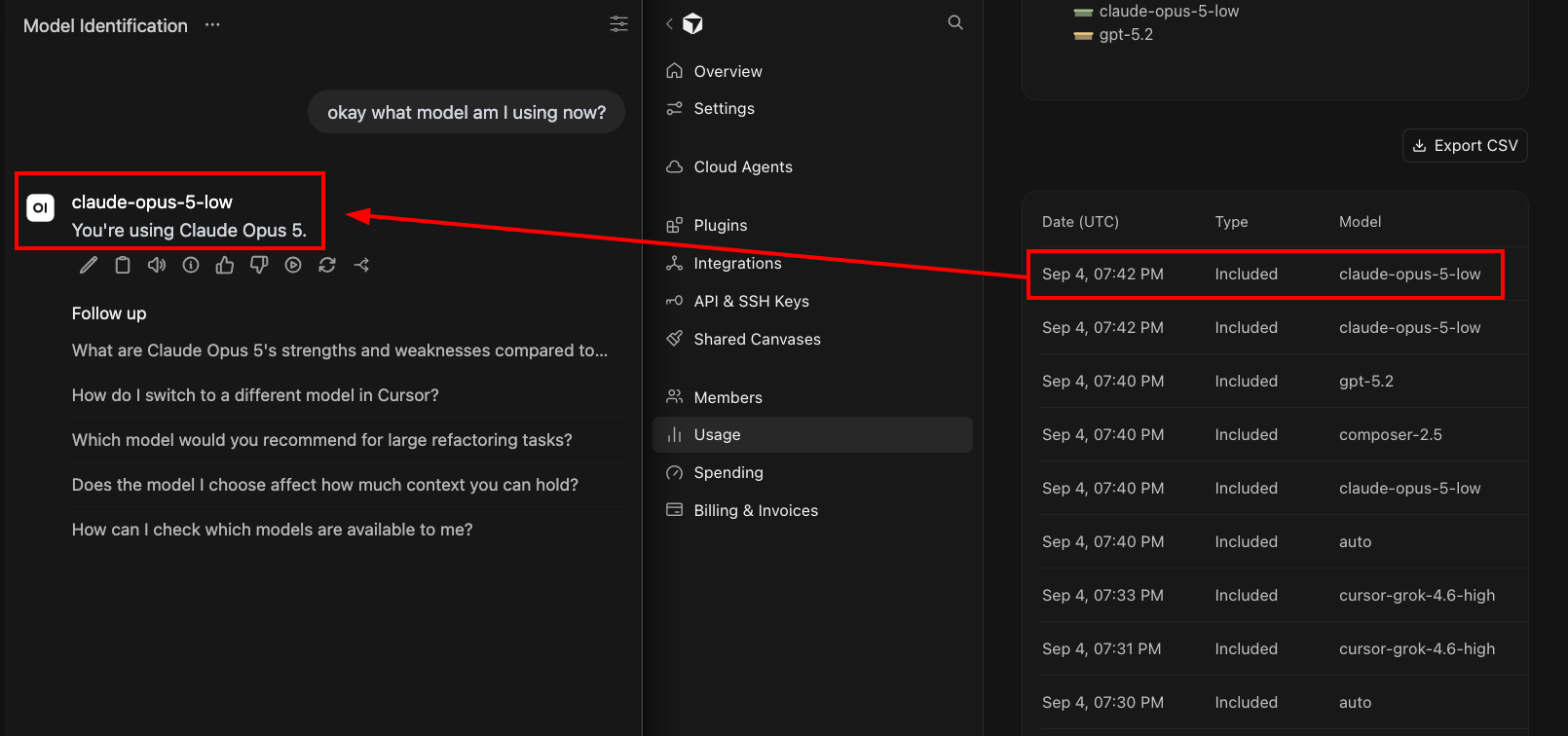
You can also see that the Cursor usage page lights up the same id a few seconds later.
Final thoughts
I used to pay for ChatGPT Plus, Claude Pro, Cursor Pro. Same three invoices every month. This setup cuts that down. It keeps Cursor for coding and puts OpenWebUI in front for everything else including my AI-enabled projects like RamiGPT (3) and SamiGPT (4). Through curapi you get Claude, GPT, Grok, Composer, and the rest out of the Cursor bill you already pay. Day to day leave it on auto and when you care, pick what you need from the list.
The reason I keep Cursor is their editor. I did not like VS Code plus Copilot or whatever plugin stack is trendy this month. For me Cursor is clearly better at that coding loop and it feels built around it instead of a stupid plugin that just waits for ` ``` `. I want the IDE for code and, MCP-enabled API, and a normal chat UI for everything else.
I’m sure some will ask why don’t I just use OpenRouter (5). Fair. It is the clean path: one OpenAI-compatible key, hundreds of models, pay per token, drop it straight into OpenWebUI with no local proxy. If you are not already paying for Cursor, or you want a real usage meter and model shopping, OpenRouter is probably the better consumer move. If Cursor is a sunk cost you keep for the editor or find it hard to change, burning its included / auto pool for chat is usually cheaper than stacking another token bill on top. And ofc, that would change if you burn through the plan on Opus models all month. Then both Cursor and OpenRouter bill you like a normal API. In my case, I wanted fewer invoices, not a better marketplace, so I went Cursor + curapi.
Also, note that I vibecoded curapi so I cannot guarantee its security. Treat it as a personal localhost bridge, not something you expose on 0.0.0.0 without reviewing the code yourself.
Issues / PRs welcome on the repo.
References
-
OpenWebUI, “Quick Start,” docs. https://docs.openwebui.com/getting-started/quick-start/ ↩
-
M507, “curapi,” GitHub. https://github.com/M507/curapi ↩
-
M507, “RamiGPT,” GitHub repository. https://github.com/M507/RamiGPT ↩
-
M507, “SamiGPT (AI-SOC-Agent),” GitHub repository. https://github.com/M507/AI-SOC-Agent ↩
-
OpenRouter. https://openrouter.ai/ ↩